Lab 1: The Artemis Board and Bluetooth
Overview
Over the course of two weeks, we performed labs 1a and 1b, to familiarize ourselves with the Arduino IDE, programming the Artemis board, and bluetooth connection.
Prelab
Setup
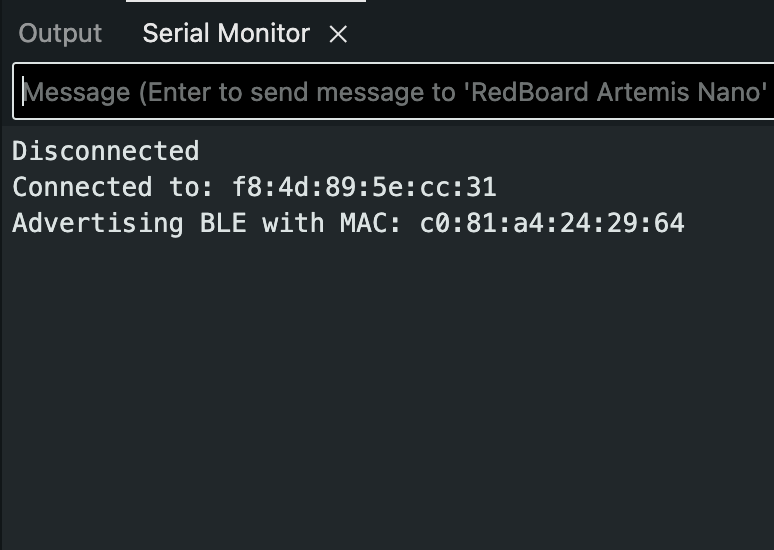
[fill: c0:81:a4:24:29:64]
84b22398-9ffc-4b89-aa8f-b9d6956d5dd9
Lab 1a Tasks
Task 1: Blink
The Blink example was used to confirm successful code upload and execution on the Artemis board. The delay was modified to ten seconds between each blink to make the LED state change clearly observable.
Video: Serial monitor output and LED behavior during Blink execution.
Task 2: Serial
The serial communication example was run to verify bidirectional data transfer between the Artemis board and the computer. Messages sent from the board were observed in the serial monitor at the expected baud rate of 115200.
Video: Serial monitor output showing connection.
Task 3: analogRead
The onboard temperature sensor was tested using the provided analog read example. Temperature readings changed when the chip was touched by hand and when air was blown across the board, confirming that the sensor was responsive.
Video: Serial monitor output while blowing temp sensor.
Task 4: MicrophoneOutput
The pulse density microphone example was used to test audio input on the Artemis board. Changes in the serial output were observed when whistling near the microphone, indicating successful detection of sound frequency and amplitude.
Video: Serial monitor output during sound testing.
Lab 1b Tasks
Configurations
Note that the artemis address had to be temporarily changed when, in lab, a different board was used. As always, baud rate was set to 115200.
# connections.yaml
artemis_address: 'c0:81:a4:24:29:64'
ble_service: '84b22398-9ffc-4b89-aa8f-b9d6956d5dd9'
characteristics:
  TX_CMD_STRING: '9750f60b-9c9c-4158-b620-02ec9521cd99'
  RX_FLOAT: '27616294-3063-4ecc-b60b-3470ddef2938'
  RX_STRING: 'f235a225-6735-4d73-94cb-ee5dfce9ba83'
Codebase: BLE architecture and how commands flow
The BLE codebase is split into an Arduino peripheral and a Python central. On the Artemis, a BLE service is advertised with multiple characteristics. The laptop connects to that service, writes commands to a writable string characteristic, and subscribes to notify-enabled characteristics to receive replies. Commands are encoded as a single string with a numeric command type followed by optional values separated by delimiters. On the Artemis, the RobotCommand class tokenizes the received string to extract the command type and values. Replies are sent back either as a string (for structured text like timestamps) or as a float (for numerical telemetry), using notify so the laptop receives data asynchronously without polling.
# Jupyter setup (minimal)
%load_ext autoreload
%autoreload 2

from ble import get_ble_controller
from cmd_types import CMD
import time

ble = get_ble_controller()
ble.connect()
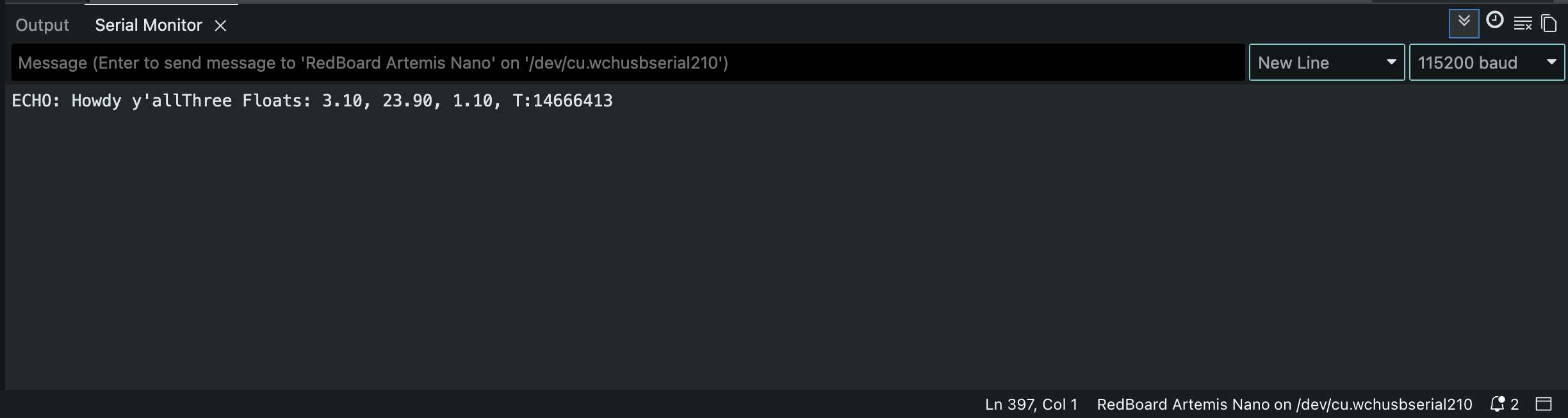
Task 1: ECHO command round-trip
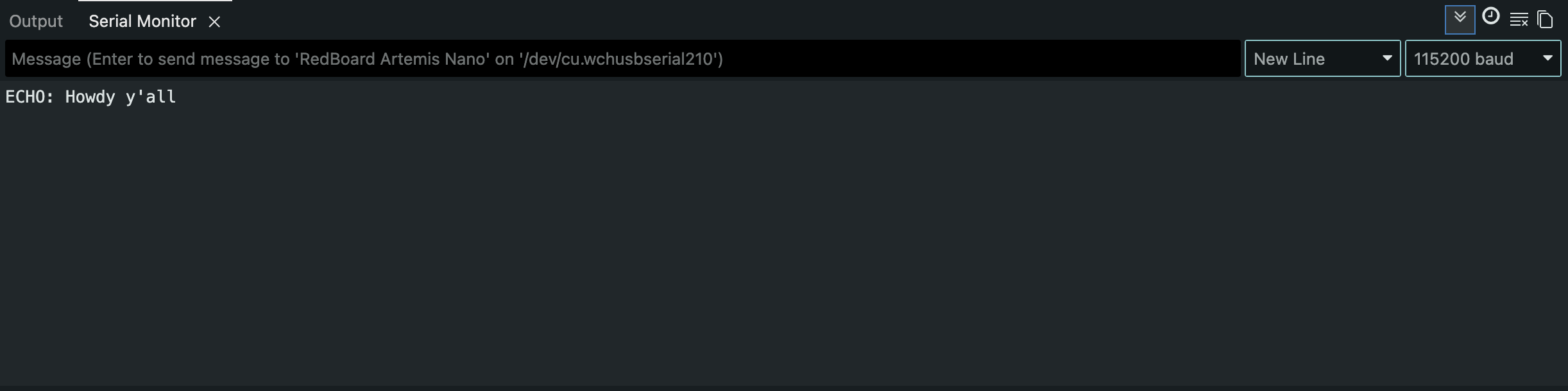
The laptop sends an ECHO command with a payload string. The Artemis extracts the payload and writes it back on the notify string characteristic.
// Arduino (ECHO)
case ECHO: {

    char char_arr[MAX_MSG_SIZE];

    success = robot_cmd.get_next_value(char_arr);
    if (!success)
        return;

    Serial.print("ECHO: ");
    Serial.print(char_arr);

    tx_estring_value.clear();
    tx_estring_value.append(char_arr);
    tx_characteristic_string.writeValue(tx_estring_value.c_str());

    break;
}
# Jupyter (ECHO)
ble.send_command(CMD.ECHO, "Howdy y'all")
s = ble.receive_string(ble.uuid["RX_STRING"])
print(s)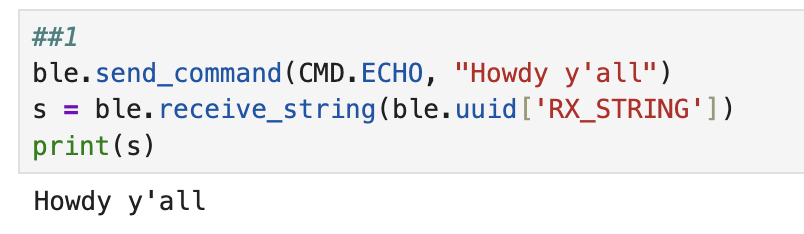
Task 2: SEND_THREE_FLOATS parsing on Artemis
The laptop sends three floats separated by |. The Artemis extracts three floats and verifies correct parsing via serial output.
// Arduino (SEND_THREE_FLOATS)
case SEND_THREE_FLOATS: {

    float fl_a, fl_b, fl_c;

    success = robot_cmd.get_next_value(fl_a);
    if (!success)
        return;

    success = robot_cmd.get_next_value(fl_b);
    if (!success)
        return;

    success = robot_cmd.get_next_value(fl_c);
    if (!success)
        return;

    Serial.print("Three Floats: ");
    Serial.print(fl_a);
    Serial.print(", ");
    Serial.print(fl_b);
    Serial.print(", ");
    Serial.print(fl_c);
    Serial.print(", ");

    break;
}
# Jupyter (SEND_THREE_FLOATS)
ble.send_command(CMD.SEND_THREE_FLOATS, "3.1|23.9|1.1")
Task 3: GET_TIME_MILLIS returns a timestamp string
The Artemis replies to GET_TIME_MILLIS with a string containing the current millisecond counter.
// Arduino (GET_TIME_MILLIS)
case GET_TIME_MILLIS: {

    int TIME;
    TIME = millis();

    Serial.print("T:");
    Serial.println(millis());

    tx_estring_value.clear();
    tx_estring_value.append("T:");
    tx_estring_value.append(TIME);
    tx_characteristic_string.writeValue(tx_estring_value.c_str());

    break;
}
# Jupyter (GET_TIME_MILLIS)
ble.send_command(CMD.GET_TIME_MILLIS, "")
s = ble.receive_string(ble.uuid["RX_STRING"])
print(s)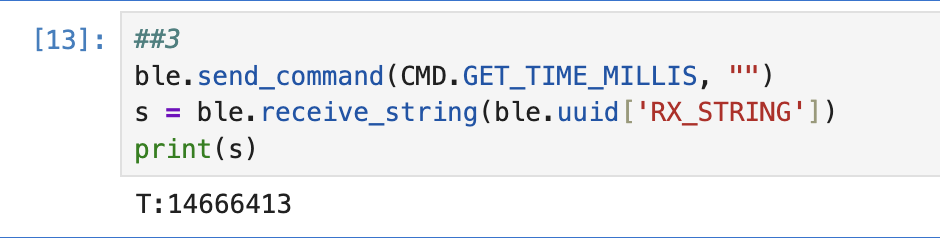
Task 4: Notification handler parses time values
A notification callback was registered on the string characteristic. Each notification is decoded and the millisecond field is extracted.
# Jupyter (notification handler for RX_STRING)
def parse_t(s):
    return int(s.split(":", 1)[1])

def handler(uuid, notif):
    s = ble.bytearray_to_string(notif).strip()
    print(parse_t(s))

ble.start_notify(ble.uuid["RX_STRING"], handler)  # run once per kernel session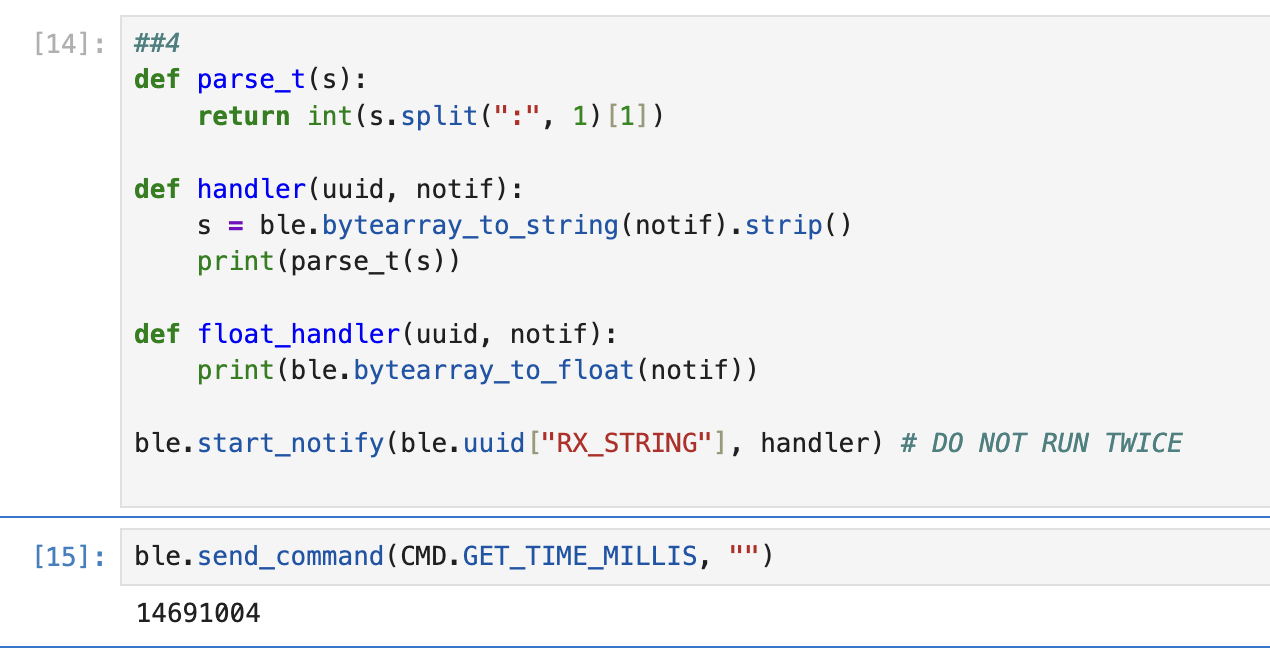
Task 5: Message throughput measurement
The Artemis repeatedly writes a float notification for a fixed window, counts the number of writes, and reports the average rate in messages per second.
// Arduino (MESSAGE_SPEED)
case MESSAGE_SPEED: {

    speed_test_active = true;

    unsigned long start_ms = millis();
    unsigned long now_ms = start_ms;

    int count = 0;

    while ((now_ms - start_ms) < 10000) {
        now_ms = millis();

        tx_characteristic_float.writeValue(1.0f);

        count++;

        delay(1);
    }

    float rate = count / 10.0f;

    Serial.print("Messages Per Second are ");
    Serial.println(rate);
    Serial.print("every second, averaged over 10 seconds.");

    speed_test_active = false;

    break;
}
# Jupyter (trigger MESSAGE_SPEED)
def float_handler(uuid, notif):
pass
ble.start_notify(ble.uuid["RX_FLOAT"], float_handler)
ble.send_command(CMD.MESSAGE_SPEED, "")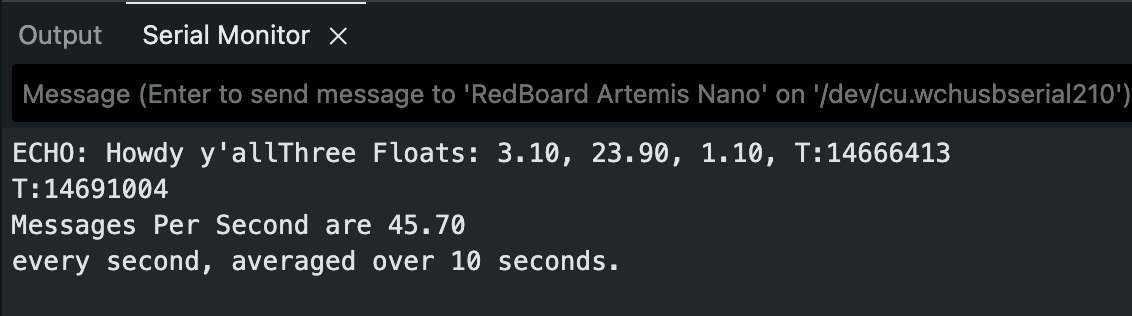
[fill: msgs/sec]Float payload rate (payload only):
(msgs/sec) × 4 bytes = [fill: bytes/sec]Note: BLE overhead is nonzero and is not included in payload-only throughput.
Task 6: Buffered timestamp array and SEND_TIME_DATA
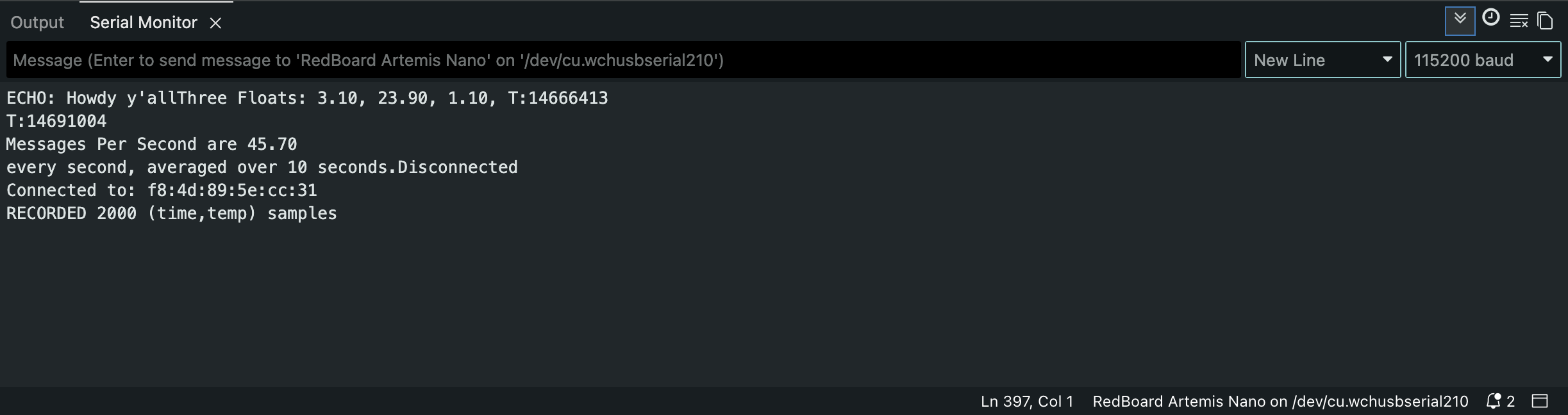
Instead of streaming each timestamp immediately, timestamps are stored into a global fixed-size buffer during a recording window. After recording, SEND_TIME_DATA transmits each stored timestamp as a string to the laptop.
// Arduino globals (buffers)
const int TIME_BUF_LEN = 2000;

unsigned long time_buf[TIME_BUF_LEN];
int time_buf_count = 0;

float temp_buf[TIME_BUF_LEN];
// Arduino (RECORD_TIME_DATA)
case RECORD_TIME_DATA: {
time_buf_count = 0;
unsigned long start_ms = millis();
unsigned long now_ms = start_ms;
while ((now_ms - start_ms) < 10000) {
now_ms = millis();
if (time_buf_count >= TIME_BUF_LEN) {
break;
}
time_buf[time_buf_count] = now_ms;
float tC = getTempDegC();
temp_buf[time_buf_count] = tC;
time_buf_count++;
delay(1);
}
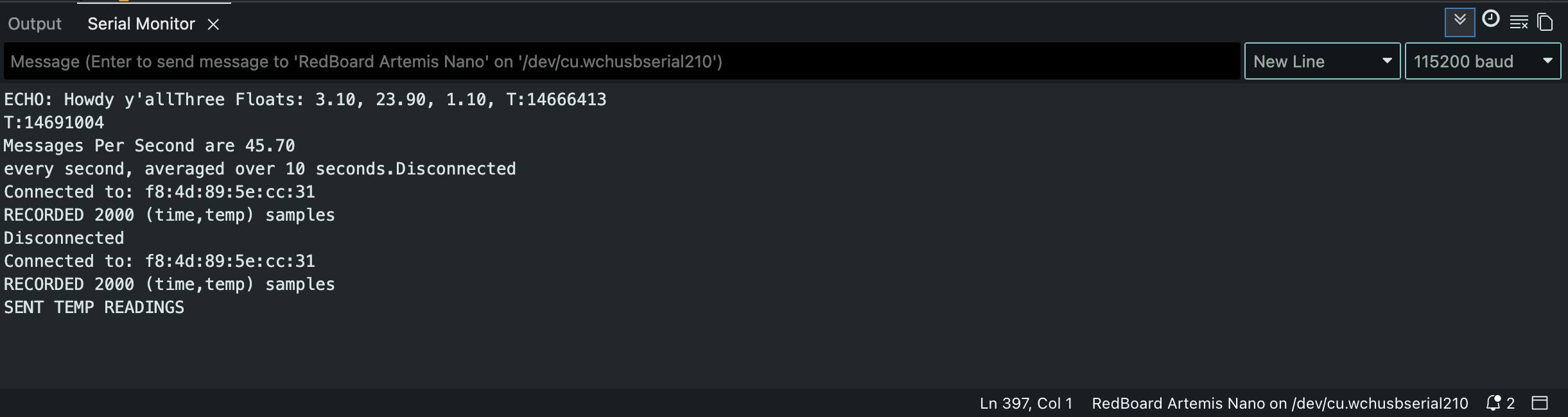
Serial.print("RECORDED ");
Serial.print(time_buf_count);
Serial.println(" (time,temp) samples");
break;
}// Arduino (SEND_TIME_DATA)
case SEND_TIME_DATA: {
for (int i = 0; i < time_buf_count; i++) {
tx_estring_value.clear();
tx_estring_value.append("T:");
tx_estring_value.append((int)time_buf[i]);
tx_characteristic_string.writeValue(tx_estring_value.c_str());
delay(2);
}
tx_characteristic_string.writeValue("Jupyter ping task 6 done");
break;
}# Jupyter (Task 6 receive)
time_list = []
def time_handler(uuid, notif):
s = ble.bytearray_to_string(notif).strip()
if s.startswith("T:"):
time_list.append(int(s.split(":", 1)[1]))
else:
print(s, "received:", len(time_list))
ble.start_notify(ble.uuid["RX_STRING"], time_handler)
time_list.clear()
ble.send_command(CMD.RECORD_TIME_DATA, "")
ble.send_command(CMD.SEND_TIME_DATA, "")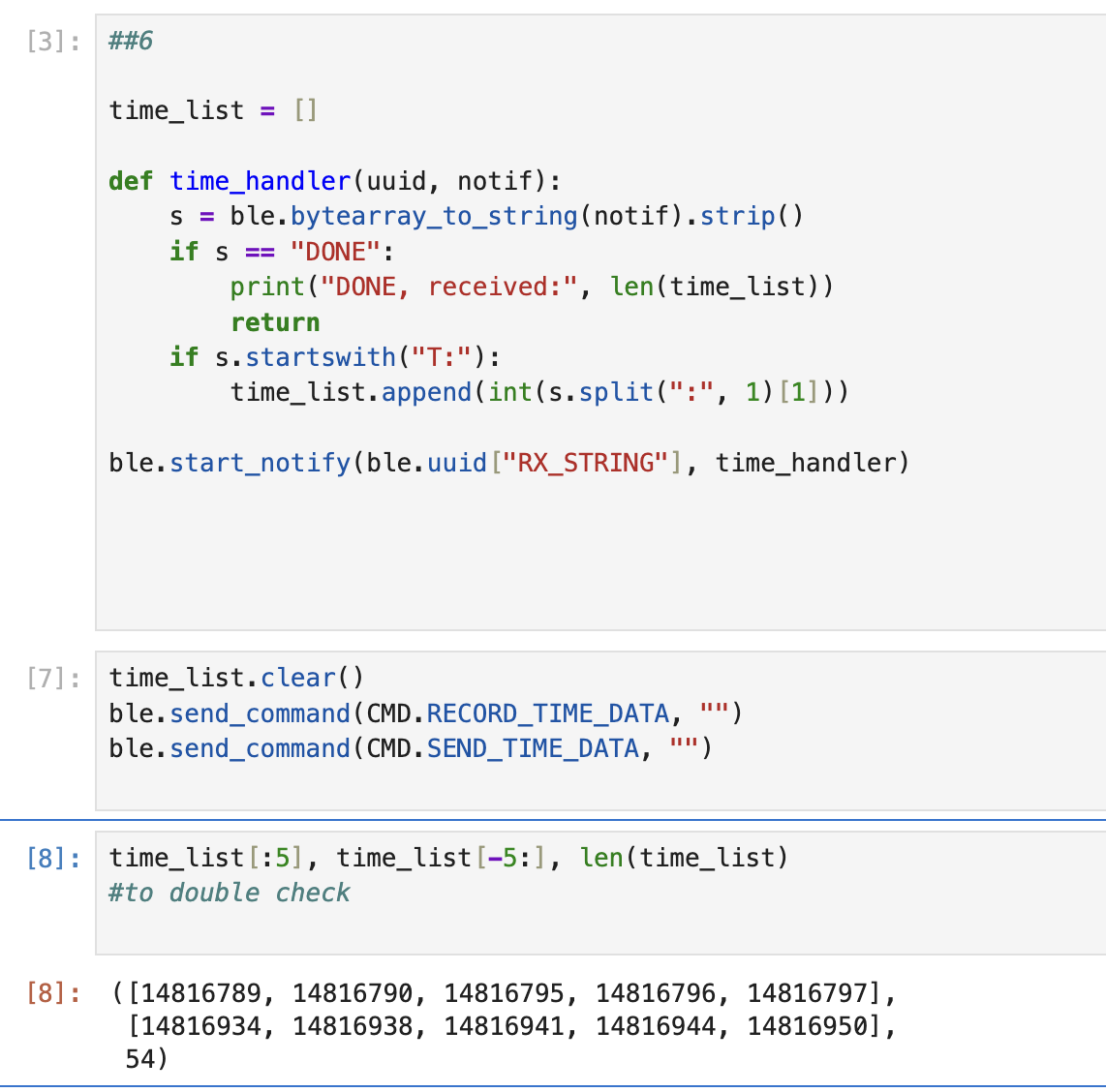
Task 7: Buffered temperature readings paired with timestamps
A second buffer stores temperature values at the same indices as the timestamp buffer. GET_TEMP_READINGS transmits paired records formatted as
T:<ms>|C:<degC>. The laptop parses the pairs into two lists.
// Arduino (GET_TEMP_READINGS)
case GET_TEMP_READINGS: {

    for (int i = 0; i < time_buf_count; i++) {

        tx_estring_value.clear();
        tx_estring_value.append("T:");
        tx_estring_value.append((int)time_buf[i]);
        tx_estring_value.append("|C:");
        tx_estring_value.append(temp_buf[i]);

        tx_characteristic_string.writeValue(tx_estring_value.c_str());
        delay(2);
    }

    tx_characteristic_string.writeValue("DONE");
    Serial.println("SENT TEMP READINGS");

    break;
}
# Jupyter (Task 7 receive)
time_list = []
temp_list = []
def temp_handler(uuid, notif):
s = ble.bytearray_to_string(notif).strip()
if s == "DONE":
print("DONE", len(time_list), len(temp_list))
return
if s.startswith("T:") and "|C:" in s:
left, right = s.split("|C:", 1)
t = int(left.split(":", 1)[1])
c = float(right)
time_list.append(t)
temp_list.append(c)
ble.start_notify(ble.uuid["RX_STRING"], temp_handler)
time_list.clear()
temp_list.clear()
ble.send_command(CMD.RECORD_TIME_DATA, "")
ble.send_command(CMD.GET_TEMP_READINGS, "")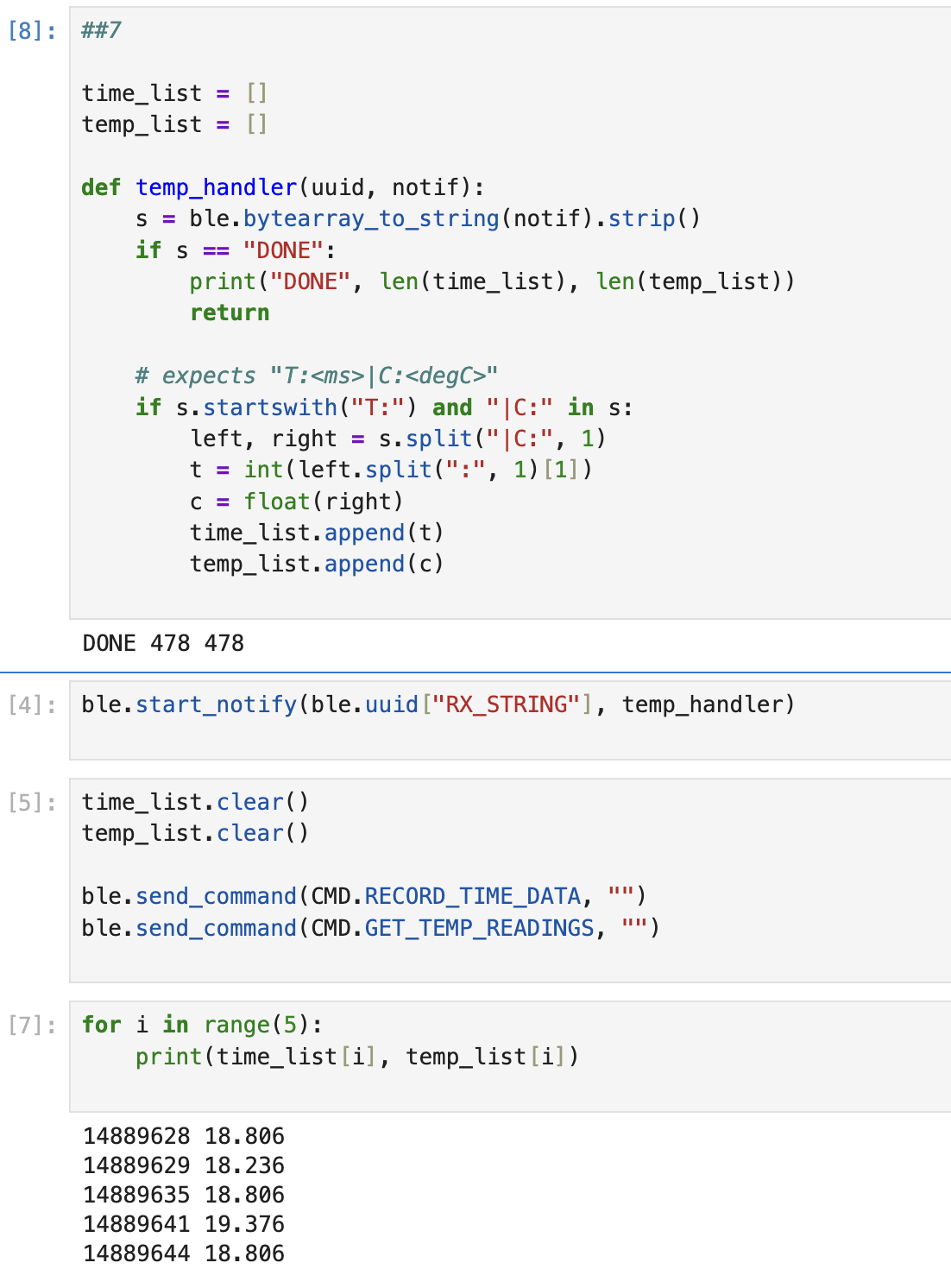
Discussion
Live streaming vs buffered acquisition
The main difference here is that it is streaming constantly, meaning an excess of BLE traffic, which had to be dealt with by slowing things down to avoid packet loss. When you wait, however, and do it locally first, you end up with a mcuh more streamlined process. There's two different situations I'd use each in. The first is for when you have a robot that has to react in real time, whereas the second is more for collecting information on something. This is because it is able to sample more within a certain time frame. Say, for example, if you needed to figure out what happened, then it's better in that case. 384kb/4bytes per each of the two (temp & time) yeilds 48,000 of each (96,000 in total).
Collaborations: debugging aid from Rajarshi Das in lab, moral support from Clarence Dagins as I fixed this html at 5am, Brooke Hudson and Anunth Ramaswami's webpages since they were my friends (this was mostly useful for realizing why I got an error due to re-running notify) and chatGPT 5.2 to make the html of the site and help diagnose code issues.